

July 9, 2026
Summary: In this tutorial, you’ll learn the best practices for using table partitioning in PostgreSQL.
Table of Contents
Why Partition Tables?
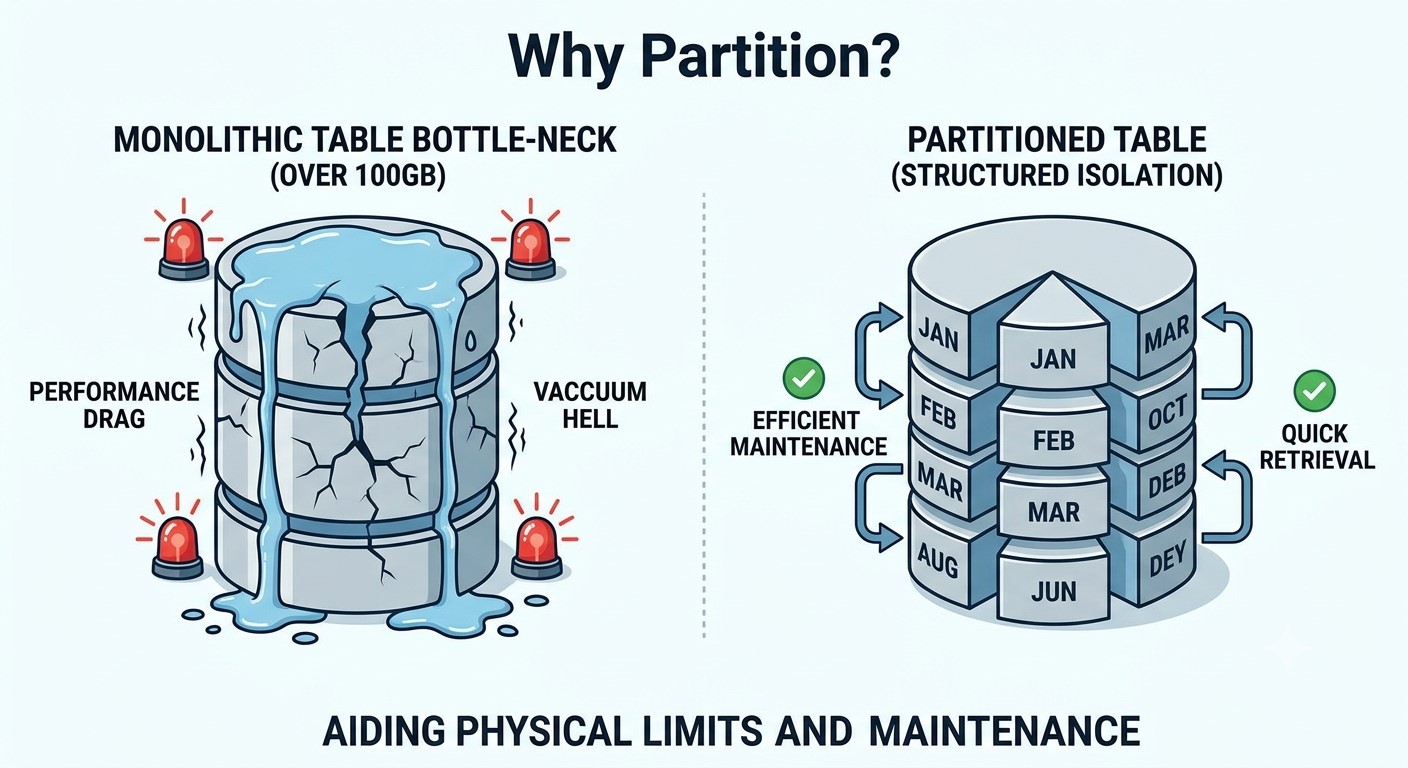
Table partitioning is like organizing products in a supermarket; reasonable physical isolation can drastically improve data access efficiency. In Postgres, the core reasons for introducing partitioning include:
- Breaking Table Capacity Bottlenecks: Postgres has a physical single-table limit of 32TB. Best practice recommendation: You should start planning for partitioning when a single table reaches 100GB. If you wait until the table swells to the terabyte level, it is often too late.
- Improving System Maintenance Efficiency: Excessive table size causes database maintenance tasks (like
VACUUM) to become extremely slow, dragging down overall performance. Partitioning cuts large tables into compact, smaller chunks, keeping maintenance windows within a reasonable range. - Simplifying Data Lifecycle Management (DLM): Traditional cleanup scripts (using
DELETEjobs) are error-prone and costly to maintain. With partitioning, dealing with expired data (such as 5-year-old PII sensitive data or logs) is as simple as “Detaching and Dropping” the corresponding partition. This finishes instantly with zero performance overhead.
Partitioning Strategies: Comparison and Choice
Based on years of hands-on experience, the community gives clear preferences for different partitioning strategies:
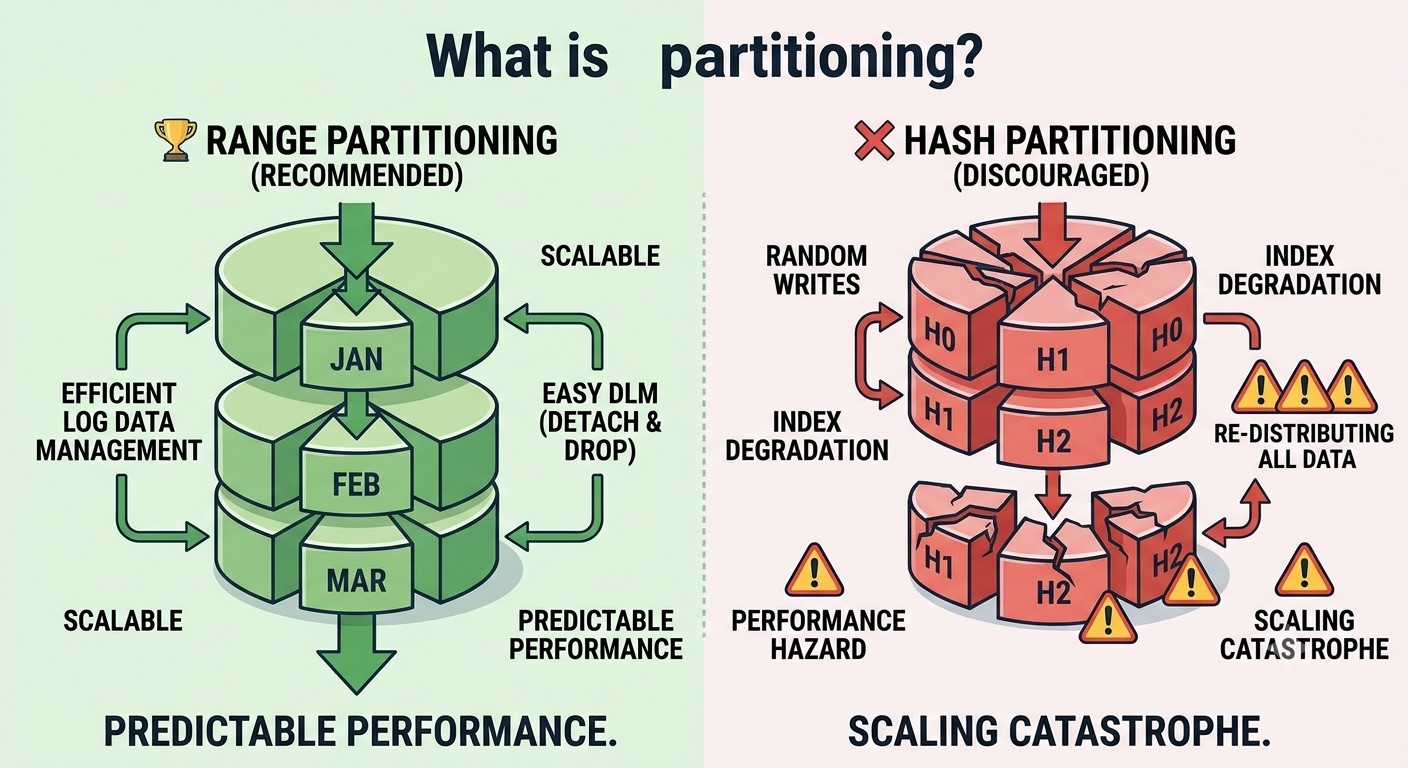
🏆 Highly Recommended: Range-based Partitioning
- Applicable Scenarios: Time ranges (e.g., partitioning by month) or integer-type primary key ranges.
- Core Requirement: The partition key must be part of the primary key to enforce uniqueness across all partitions.
❌ Strongly Discouraged: Hash-based Partitioning
- Performance Hazards: Hash-based writes are randomly distributed, which is unfriendly to the underlying disks. This can easily lead to severe index performance degradation and trigger a massive amount of index maintenance work.
- Scaling Disasters: If you need to scale from 10 partitions to 20, hash partitioning means redistributing and rewriting almost all historical data—a nightmare for large-scale tables.
Core Design and Gotchas
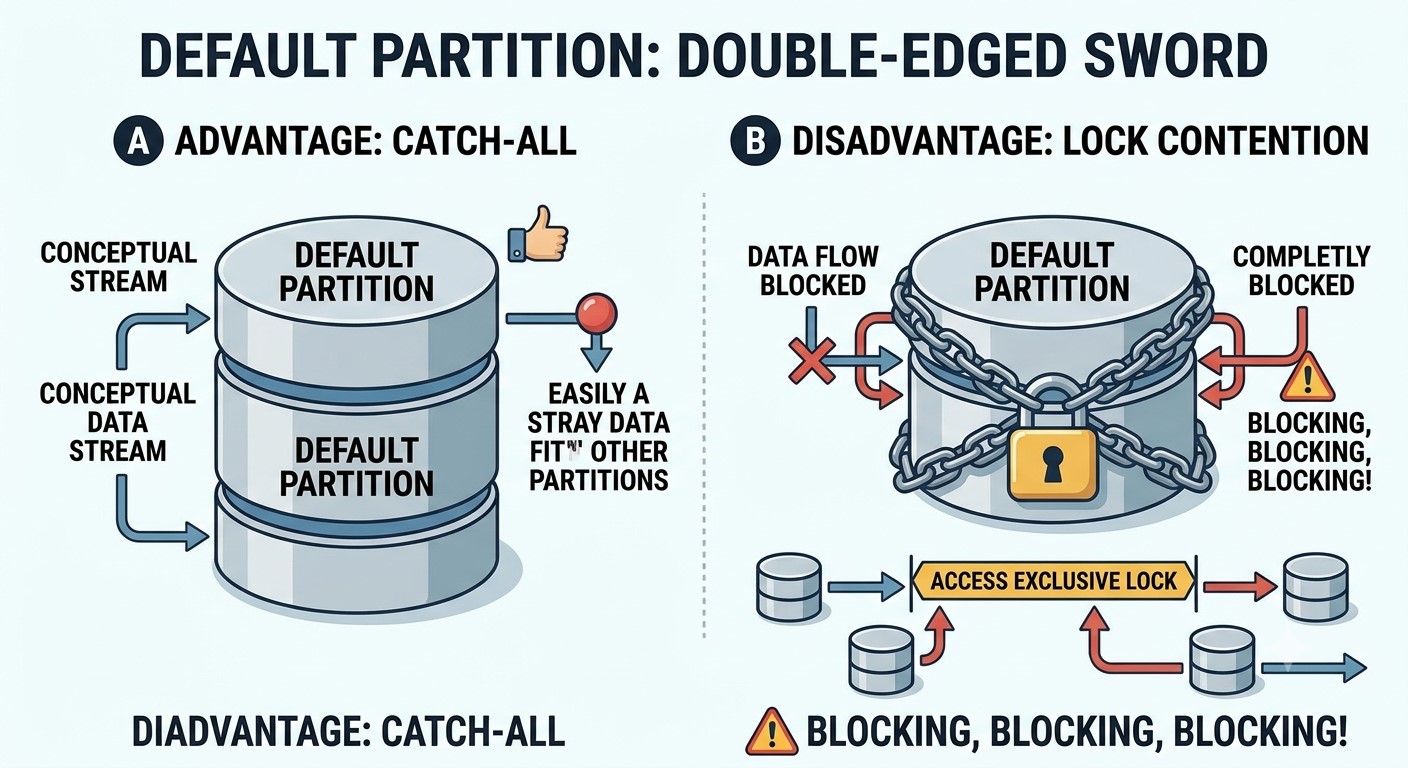
1. The Double-Edged Sword of the Default Partition
- Advantage (Catch-all): Acting as a fallback mechanism, it captures any data that doesn’t match predefined boundaries, preventing the application from throwing errors or halting.
- Disadvantage (Lock Contention): In older versions, when adding a new partition, Postgres needs to modify the constraints of the default partition. This triggers the highest-level lock (
Access Exclusive Lock) and forces the system to wait for all cluster transactions to finish, causing long-standing blockages. - Workaround: Add an extra
Check Constraintto the default partition to restrict the specific data ranges it can accept. This significantly reduces conflicts and management difficulties when creating adjacent new partitions in the future.
2. Lock-Free Attaching (“Black Magic” & High Risk)
When doing cleanup or maintenance on a specific partition, the standard “Attach” operation scans the entire table to validate data boundaries, which takes a long time.
- The Black Magic Solution: You can apply a
NOT VALIDCheck constraint to the partition being attached, and directly update the database metadata (Catalog). This allows the attach operation to complete instantly in the time it takes for a catalog operation. - Risk Warning: This operation involves tampering with the underlying catalog and can easily trigger severe production incidents. Pay strict attention to the inclusion rules of boundaries (typically, the lower bound is inclusive, and the upper bound is exclusive).
3. Schema Modification Traps (Indices & Foreign Keys)
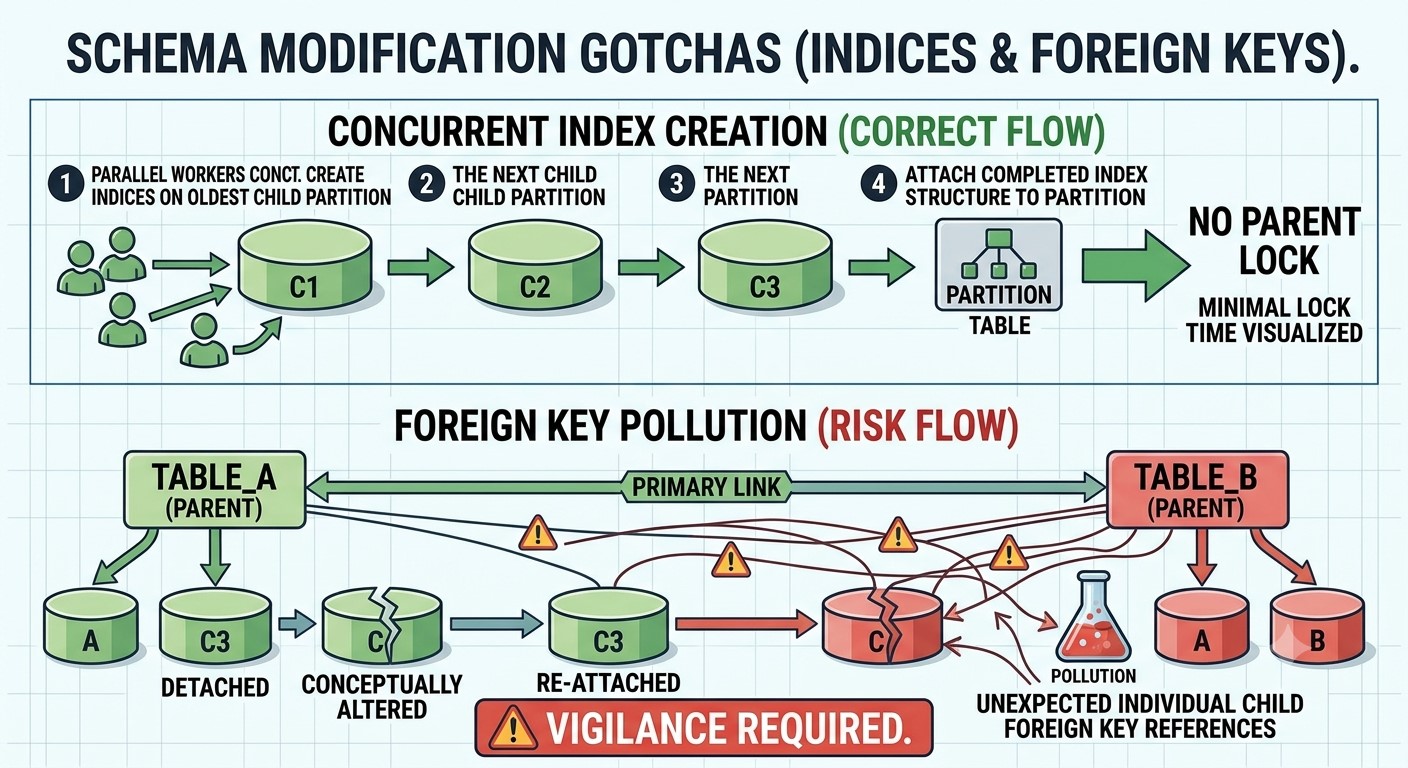
- Index Concurrency Issues: You cannot directly create or drop indices concurrently (
CONCURRENTLY) on a parent partition table. Correct approach: Start from the oldest child partition, create the index concurrently one by one all the way to the top, and finally attach the index to the parent table. - Foreign Key Pollution: When a partition is detached and re-attached, it can easily create unexpected individual foreign key references between child tables, which requires constant vigilance against structural anomalies.
Efficient Join Techniques for Partitioned Tables
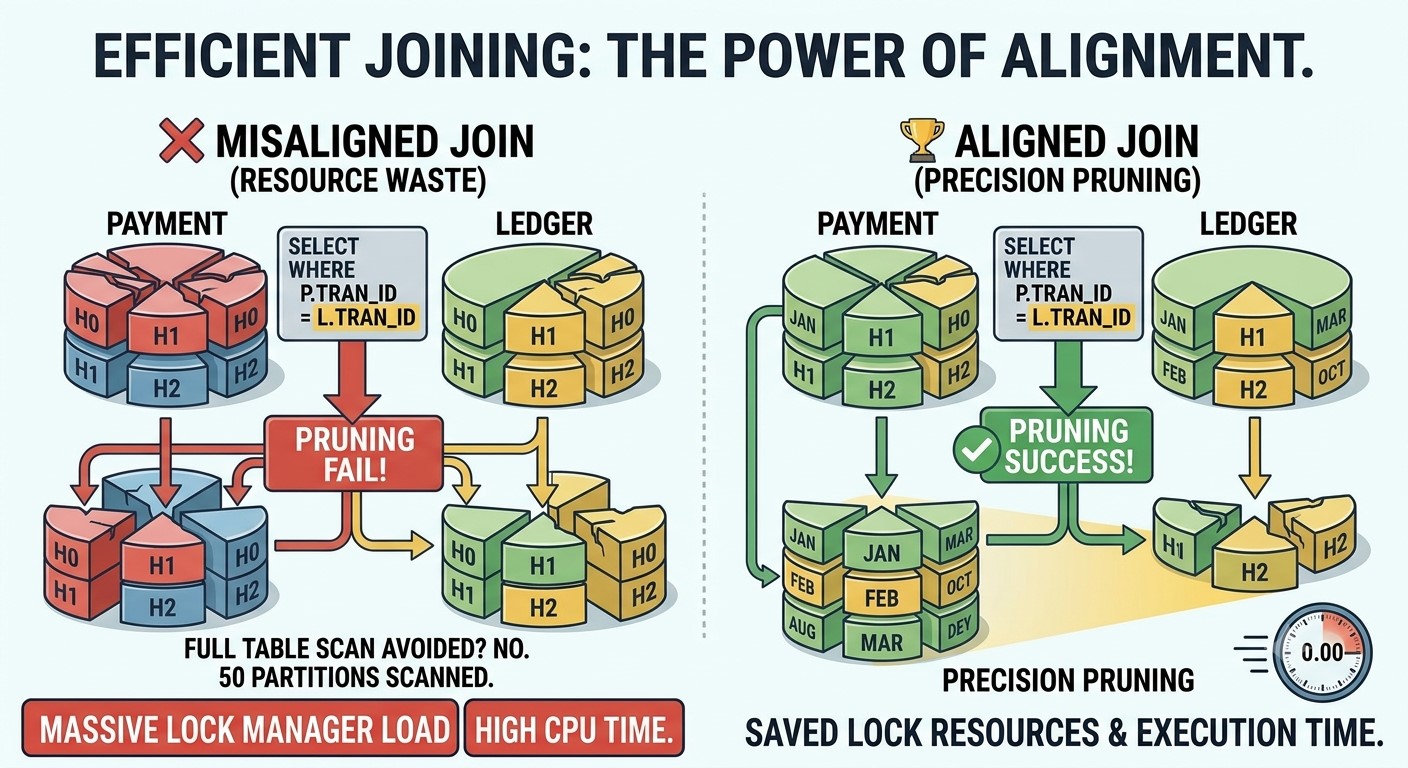
Joining multiple partitioned tables is the easiest way to crash performance (e.g., due to misalignment, the system might scan 50 partitions when it should only scan 2).
- Identify the “Leading Figure”
Find the core business key that strings multiple tables together (such as
Transaction_IDin a financial system). - Enforce Partition Alignment (Align Partitions) Force all related tables (e.g., payment tables, ledger tables) to use exactly the same upper and lower partition boundaries based on that “Leading Figure.”
- Enable Critical Parameters
You must explicitly turn on the configuration:
SET enable_partitionwise_join = on;. While this slightly increases the planning time, it allows Postgres to perform precise partition pruning—scanning only the absolute matching partitions, saving massive lock manager resources and execution time. - Denormalize Intermediate Tables For tables that cannot natively be partitioned by the same column (such as many-to-many intermediate tables), the only solution is to denormalize the table—redundantly writing the “Leading Figure” into it and modifying the query logic to gain a massive leap in performance.
Automation and Data Archiving Practice
- Leave a Buffer Room: Automation scripts must ensure the system always has at least 3 future empty partitions available, completely eliminating downtime caused by running out of partitions.
- Ditch Manual Management: Actions in the partition lifecycle—such as creation, detachment, and dropping—must be fully automated.
- External Archiving Strategy: For old data that cannot be dropped outright, it is recommended to copy it to a dedicated archiving database and then drop the partition from the primary database.
Note: Using Foreign Data Wrappers (FDW) to make archiving transparent to the application layer is discouraged due to its high maintenance complexity. It is better to let application developers manage this by determining in the code when to query the primary database and when to query the archive database.
Reference
My Postgres partitioning cookbook